


Dustproof Rugged Tablets: 10 Essential Tips to Avoid Damage (2026)
Dustproof rugged tablets are built tough, but dust can still ruin them. Learn 10 smart tips to keep your device clean, operational, and compliant in harsh environments.
Introduction:
Dust may look harmless, but in harsh industrial environments it can become one of the biggest reasons rugged tablets fail early. Fine particles can enter ports, speakers, seals, and ventilation points—causing overheating, touchscreen issues, charging problems, and long-term internal damage. Even “dustproof” rugged tablets still need smart handling and routine care to perform at their best.
In this 2026 guide, you’ll learn 10 essential tips to avoid dust-related damage, maintain peak performance, and extend the lifespan of your rugged tablet—especially in industries like mining, construction, oil & gas, and manufacturing.
Rugged Doesn’t Mean Invincible
It’s important to remember that even the best dustproof rugged tablets aren’t immune to negligence. Sure, they’re built to military standards, can survive drops, shocks, and extreme temperatures—but none of that matters if dust sneaks in and grinds away at the internal components over time. Just because it’s rated IP68 or MIL-STD-810 doesn’t mean you get a free pass to ignore basic care. Durability is built-in, but longevity? That’s on you.

Compliance Starts with Clean Equipment
In industries like oil & gas, mining, and manufacturing, compliance isn’t optional—it’s law. Using dustproof rugged tablets that are well-maintained doesn’t just ensure better performance; it helps you stay compliant with safety and equipment standards. A poorly maintained device could fail an audit or, worse, cause an incident. By incorporating dust control into your maintenance routine, you’re not only protecting your tech—you’re protecting your people and your business too.
Dustproof Rugged Tablets: 10 Smart Cleaning Tips to Keep Them Functional and Safe
Let’s cut to the chase — dustproof rugged tablets are the Swiss Army knives of the industrial tech world. Built to survive the chaos that would make an iPad weep, these devices thrive in environments most electronics wouldn’t last an hour in. But here’s the catch: even the toughest tablets can be brought to their knees by something as seemingly harmless as dust.
Yes, dust. That fine, grainy, persistent nuisance that somehow infiltrates every nook and cranny. You know that friend who somehow survives three days of a music festival or a construction site without a scratch? That’s your rugged tablet. But toss it into a mine, a dusty factory, or a construction zone, and dust becomes more than a hassle — it becomes a silent saboteur.
Let’s dive into how dust damages your device, what you can do to prevent it, and how to keep your dustproof rugged tablets from becoming an expensive brick. Ready? Let’s go.
Why Dust Is the Sneaky Enemy of Your Dustproof Rugged Tablets
You might be thinking, “It’s just dust, not acid.” But that’s exactly the problem. Dust doesn’t make a scene. It sneaks in quietly and wrecks things slowly. Here’s how it messes with your dustproof rugged tablets:
1. Clogs Ports and Vents Like It’s Its Job
Dust packs into USB ports, headphone jacks, and cooling vents like it’s building a nest. Your tablet starts to heat up faster, charge slower, and breathe harder — not exactly ideal when you’re working on a site or in an underground facility.
2. Erodes Rubber Seals
That nice rubber gasket meant to keep your device sealed? Dust wears it down like sandpaper. Over time, it compromises your device’s dustproof and waterproof protection.
3. Scratches Your Screen
Try swiping your finger across a screen covered in fine dust. It’s basically like dragging sand across glass. Over time, your beautiful touchscreen becomes a scratched-up nightmare.
Quote from the Field:
“Skip cleaning for a week and you’ll be spending a month’s budget fixing something a $2 microfiber cloth could’ve prevented.” — Construction Site Manager
Your Quick Daily Cleaning Plan (Takes 5 Minutes Max)
You don’t need a tech degree or a lab coat — just a bit of consistency and some basic tools. Here’s your dust-fighting starter pack:
What You’ll Need:

-
Microfiber cloths (the kind you steal from your sunglasses case)
-
Compressed air can or soft-bristle brush (a cheap craft store one works great)
-
Isopropyl alcohol (70% or lower — and no, not your whiskey)
-
Ziplock bags (your secret weapon for dust defense)
Daily Cleaning Routine:
Power it Down: Never clean a powered-on device. Turn it off, unplug it, and maybe give it some motivational words.
Blow the Dust Out: Use the compressed air at an angle — don’t push the dust further in. Treat it like you’re defusing a bomb.
Wipe Gently: Use your microfiber cloth in soft circular motions. If fingerprints are stubborn, slightly dampen the cloth with isopropyl alcohol.
Inspect the Seals: Run your thumb along the rubber edges. If it feels rough or flaky, it’s time to pay attention.
Pro Tip:
Store your dustproof rugged tablets in a Ziplock bag when it’s not in use. It’s a 10-cent solution to a thousand-dollar problem.
Deep Cleaning on the Weekend (For When Dust Fights Back)
Even the best daily routine won’t keep every speck of dust away. That’s where your weekend deep clean comes in.
What to Do:
-
Remove the Battery (If Possible): Gently wipe the contacts with a dry cloth — your device deserves a spa day.
-
Clean Ports With Care: Use a toothpick (gently!) to get out compacted dust. Pretend you’re an archaeologist.
-
Cotton Swab Magic: Lightly dip in alcohol and clean around buttons and crevices. Yes, it’s strangely satisfying.
Do Not Do This:
-
Don’t spray alcohol directly on the tablet.
-
Don’t use glass cleaners like Windex — they destroy protective coatings.
-
Don’t use rough paper towels — they’re basically sandpaper in disguise.
Software Maintenance is Dust Control Too
Think of software updates like vitamins. They’re not just fixing bugs — they’re optimizing your tablet to deal with environmental stress like heat, dirt, and, yes, dust. Enable auto-updates and let your dustproof rugged tablets take care of itself in the background.
Storage Tips for the Lazy Genius
Use a Proper Case: Not a flimsy one — get a real rugged, shock-absorbent case. It’s like hiring a bodyguard for your tablet.
Avoid Death Zones: Sunlight, extreme heat, freezing cold, or the backseat of your truck. Dust + heat = an early funeral for your tablet.
Store High: Keep it above floor level. Less dust settles up high — plus, it’s less likely to be stepped on.
Call in the Pros Once a Year
Even Batman needs a check-up. Schedule a professional inspection to: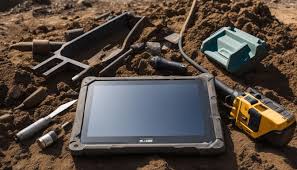
-
Confirm it’s still fully dustproof
-
Replace worn seals before they fail
-
Catch internal dust build-up that could fry your motherboard
Common Mistakes We All Make (So You Don’t Have To)
-
Using Harsh Chemicals: Alcohol is fine. Glass cleaner is not. It ruins your screen.
-
Ignoring Tiny Cracks: That micro crack? It’s a dust expressway into your device. Fix it ASAP.
-
Not Logging Cleanings: You’ll forget. Keep a log or set calendar reminders. It’s especially useful during audits or maintenance checks.
Think of Your Tablet Like Your Work Boots
You wouldn’t let your safety boots stay caked in mud for weeks, right? Same logic applies here. Your dustproof rugged tablets is a serious investment. A few minutes of care each day will extend its life by years and help it survive the job site, the mine, or the factory floor.
Cleaning it regularly is like flossing: boring, easy to skip — but ignore it long enough, and you’ll pay dearly.
Final Word: Don’t Let Dust Win

No matter how rugged, durable, or certified your device is, dustproof rugged tablets still need basic TLC to stay functional. They’re designed for tough environments, but dust is a persistent enemy that slips in quietly and wreaks havoc over time. With a simple daily routine, a weekly deep clean, and smart storage habits, you can keep your dustproof rugged tablets performing like new.
Don’t treat maintenance like an afterthought. Make it a habit. Your device, your productivity, and your wallet will thank you.
Produits et Ressources ATEX Connexes
Découvrez notre gamme d’appareils certifiés ATEX :